2.3.2 - Why Cutting Features Is a Design Skill Most Builders Skip
Choose the feature cut: say what stays central, what gets removed and why the product becomes stronger because of that cut.


Feature cut
Are you cutting features that distract from the main user path?
The call
Cut before AI adds more. Otherwise every option AI generates becomes a feature and the product grows without getting better.
Sharpen the feature cut with AI
This is a Build idea, so there are two AI moves: first Sharpen the feature cut using the prompt below, then Build it with AI, vibeCoding the thinnest working code that tests the decision.
New here? Let your AI do this with you. Paste your problem into Guide me and it builds a prompt that walks you through this in ChatGPT or Claude. You do not need to know how to prompt.
Prefer to drive the AI yourself? Give ChatGPT or Claude this page and ask it to help. For skill.txt, the Claude Code plugin and other ways in, see how to use vibe2value.
Or copy this prompt into AI chat, replace the bracketed lines with your real feature cut and keep the instruction exactly as visible here. It helps you put your build/feature-cut.md together by refining your three lines until two people would make the same product decision from them.
Cutting is a build decision usually made under pressure, which is when having a method rather than an instinct matters most. That is Ways to build it with AI, one of the six ways to work with AI.
The same idea on a recipe card
A great plate is often three things done perfectly, not eleven crowded together. Taking the extra garnish and the third sauce off the plate is a real skill, because it lets the main flavour come through clearly. Pile more on and every bite tastes muddier, even though it looks like more for the money.
Cutting features is that same skill of taking things off the plate. Name the core flavour you are protecting, the thing you are removing and why the dish is stronger without it. Removing is a decision and not an accident, the way a chef plates three things well rather than eleven badly.
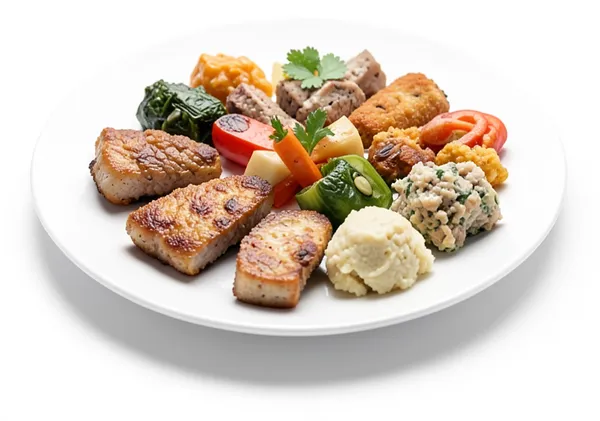
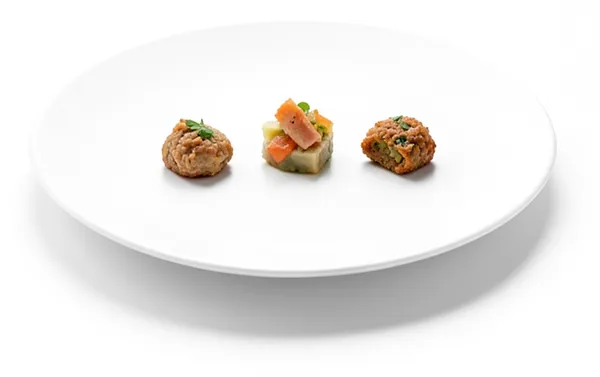
Keep the main flavour, take off the extra garnish, and it comes through clearly.
- ✓what stays centralthe main flavour
- ✓what gets removedthe extra garnish
- ✓why the dish is strongerit comes through clearly
The recipe card is just a simple example, using everyday cooking ideas everyone understands, to make the concept clear.
What it really means
A feature cut is not an omission by accident. It is a design decision that protects the core path from noise. Until you can name one core path, one feature to cut and one reason the cut strengthens the product, the product will keep expanding. AI can help add surface area fast, but it cannot decide what should stay out.
Make the feature cut concrete
Compare the broad version with a version you can actually test.
- Too vague: We should probably keep it simple.
- Concrete enough to test: We protect email in, digest out, and we cut drafting the post for you, because a draft nobody asked for buries the suggestion underneath it.
The second version lets two people remove the same complexity from it.
Check the feature cut
- Pass: You can say what stays central, what gets removed and why the product becomes stronger because of that cut.
- Fail: If the cut still sounds like we will keep it simple for now, it is not concrete enough yet.
Do not move into implementation or polish work until this passes.
What you'll walk away with
This post is about the framing decision: the words that pin down what this idea actually means for your build, before any code. You'll come out with your own knowledge-base/build/feature-cut.md written and sharpened: the feature cut pinned down as a decision, three worked examples to map against your own surface and an AI prompt that pressure-tests it until two people would make the same call.
Write it down
Your feature-cut.md is a real file in your project. The AI forgets everything between sessions. It reads this file each time to pick up what you already decided, on this idea or another part of the build. Write it down once instead of explaining it again.
knowledge-base/framework/build/feature-cut.md is just a suggested name and place for this information. The name and the location are just how we organise this type of documentation, not something you have to follow. Call the file and put it wherever suits your project. What matters is that it is written down in a format that is easily understood by both people and the AI.
The .md ending is markdown, a plain text format often used for documents kept in a code repository like GitHub. It is just the common way people store this kind of writing alongside their code.
Writing it down is how you keep good context for your AI. See Keep the signal, not the noise for why this matters across a whole build.
Risk and mitigation
- Risk: Cutting a feature that looked optional but protected a critical edge case, which can degrade trust after release.
- Mitigation: Define one user-critical scenario before each cut and validate that scenario with real usage signals before rollout.
Key takeaway
Do not move forward until you can say what stays central, what gets removed and why the product becomes stronger because of that cut.
How to document your feature cut
Write your feature cut up in full so your AI has the whole picture: the answer, why you believe it, what you are optimising for, where you might be wrong and the standing instruction it should follow. Keep it in a file with your project like this.
# Feature cut

## Answer
Core path to protect: [what must stay central]
Feature to cut: [what gets removed]
Why the cut strengthens it: [why the product gets stronger because of that cut]

## Evidence
Why you believe this. Conversations, examples, tickets, your own experience.

## Decision
What you are optimising for and what you are saying no to.

## Risk
Where you might be wrong and what would tell you.

## AI instruction
The standing note your AI reads on this project.
Here is one filled in so you can see what good looks like, grounded in the recipe card idea from earlier.
## Answer
Core path to protect: The main flavour of the plate
Feature to cut: The extra garnish and the third sauce
Why the cut strengthens it: The main flavour comes through clearly instead of muddy

## Evidence
The last plate had three sauces and a garnish, and tasters said it was busy and hard to place the main flavour.

## Decision
Optimising for one clear main flavour. Saying no to the extra garnish and the third sauce.

## Risk
Cutting too much could leave the plate plain. Cut the extras first and taste before removing anything core.

## AI instruction
Protect the main flavour of the plate. Cut the extra garnish and the third sauce so that flavour comes through clearly instead of muddy.
Share a thought or a question
Join vibe2value for free to share your thoughts and feel welcome to ask a question in the comments. If you prefer, email me your question: matt@vibe2value.com