2.1.1 - The Only Path Your Prototype Actually Needs to Walk
Define the prototype path: say what the prototype is meant to teach, which path will test it and what signal counts as proof.

Prototype path
Is this the only prototype path users need?
The call
Build one path first. Otherwise AI helps you prototype everything at once and you learn nothing clearly.
Sharpen the prototype path with AI
This is a Build idea, so there are two AI moves: first Sharpen the prototype path using the prompt below, then Build it with AI, vibeCoding the thinnest working code that tests the decision.
New here? Let your AI do this with you. Paste your problem into Guide me and it builds a prompt that walks you through this in ChatGPT or Claude. You do not need to know how to prompt.
Prefer to drive the AI yourself? Give ChatGPT or Claude this page and ask it to help. For skill.txt, the Claude Code plugin and other ways in, see how to use vibe2value.
Or copy this prompt into AI chat, replace the bracketed lines with your real prototype path and keep the instruction exactly as visible here. It helps you put your build/prototype-path.md together by refining your three lines until two people would make the same product decision from them.
Deciding how thin the first build can be is a choice about how to build it, not about what it is. That is Ways to build it with AI, one of the six ways to work with AI.
The same idea on a recipe card
Before cooking a new dish for a dinner party you make one small test portion. You do not cook the whole five-course meal just to find out whether the sauce works. One trial spoonful answers the only question that matters right now, and it costs you almost nothing if it fails.
Your prototype path is that test portion. Build the thinnest version that answers your one question, not a small version of the whole product. Name the question, the single path that tests it and the sign it passed, the way one taste of the sauce tells you whether to cook the full batch.
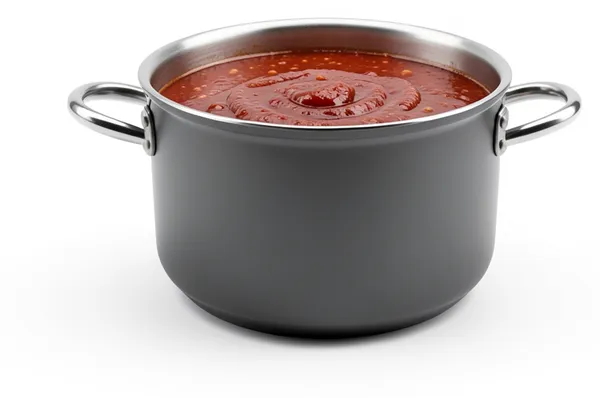
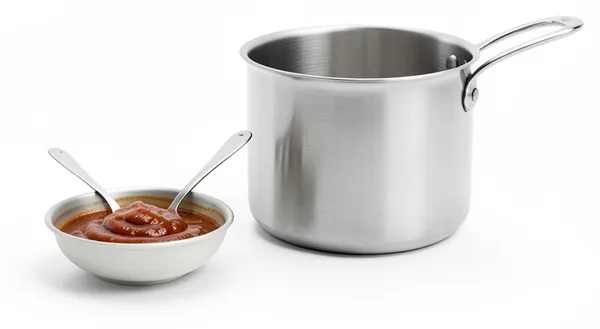
To find out whether the sauce works, make one small test portion and see if the spoonful tastes right.
- ✓what it should teach youwhether the sauce works
- ✓the path that tests itone small test portion
- ✓what counts as proofthe spoonful tastes right
The recipe card is just a simple example, using everyday cooking ideas everyone understands, to make the concept clear.
What it really means
A prototype path is not a mini product. It is the thinnest route that can answer the question you actually have. Until you can name one learning goal, one path to test and one signal that would prove it, the prototype will keep growing. AI can help build quickly, but it cannot protect a prototype from drift.
Make the prototype path concrete
Compare the broad version with a version you can actually test.
- Too vague: The prototype should show the main features.
- Concrete enough to test: The prototype only needs to show whether someone will email a thought to an address, and then come back a second time without being reminded.
The second version lets two people build the same thin test from it.
Check the prototype path
- Pass: You can say what the prototype is meant to teach, which path will test it and what signal counts as proof.
- Fail: If the prototype still sounds like a lighter version of the full product, the path is not tight enough yet.
Do not move into prototype build or polish work until this passes.
What you'll walk away with
This post is about the framing decision: the words that pin down what this idea actually means for your build, before any code. You'll come out with your own knowledge-base/build/prototype-path.md written and sharpened: the prototype path pinned down as a decision, three worked examples to map against your own surface and an AI prompt that pressure-tests it until two people would make the same call.
Write it down
Your prototype-path.md is a real file in your project. The AI forgets everything between sessions. It reads this file each time to pick up what you already decided, on this idea or another part of the build. Write it down once instead of explaining it again.
knowledge-base/framework/build/prototype-path.md is just a suggested name and place for this information. The name and the location are just how we organise this type of documentation, not something you have to follow. Call the file and put it wherever suits your project. What matters is that it is written down in a format that is easily understood by both people and the AI.
The .md ending is markdown, a plain text format often used for documents kept in a code repository like GitHub. It is just the common way people store this kind of writing alongside their code.
Writing it down is how you keep good context for your AI. See Keep the signal, not the noise for why this matters across a whole build.
Risk and mitigation
- Risk: Expanding into multiple prototype paths too early, which dilutes learning and makes user feedback contradictory.
- Mitigation: Define one path-level success signal and reject new branches until that signal is stable.
Key takeaway
Do not move forward until you can say what the prototype is meant to teach, which path will test it and what signal counts as proof.
How to document your prototype path
Write your prototype path up in full so your AI has the whole picture: the answer, why you believe it, what you are optimising for, where you might be wrong and the standing instruction it should follow. Keep it in a file with your project like this.
# Prototype path

## Answer
Learning goal: [what the prototype is meant to teach]
Test path: [which path will test it]
Proof signal: [what signal counts as proof]

## Evidence
Why you believe this. Conversations, examples, tickets, your own experience.

## Decision
What you are optimising for and what you are saying no to.

## Risk
Where you might be wrong and what would tell you.

## AI instruction
The standing note your AI reads on this project.
Here is one filled in so you can see what good looks like, grounded in the recipe card idea from earlier.
## Answer
Learning goal: Whether the sauce works
Test path: Make one small test portion, not the whole meal
Proof signal: The trial spoonful tastes right

## Evidence
Every time I have committed a full batch to an untested sauce I have wasted it, so a small trial first pays off.

## Decision
Optimising for learning whether the sauce works. Saying no to cooking the whole meal before I know.

## Risk
A tiny portion might not behave like the full pan. Make it big enough to taste properly, small enough to throw away.

## AI instruction
The prototype is one small test portion to learn whether the sauce works. Do not scale up to the full meal until the trial spoonful tastes right.
Share a thought or a question
Join vibe2value for free to share your thoughts and feel welcome to ask a question in the comments. If you prefer, email me your question: matt@vibe2value.com