1.1.2 - Describe the Pain Without Mentioning the Solution
Describe the pain statement: say who is affected, what happens right before the pain appears and what it costs the user or the team.


user.md names who the user is and what they want. problem.md names what is actually wrong right now: the pain that sits between the trigger and the outcome. They sit side by side: user.md is the person, problem.md is what is hurting them.
Pain statement
Can we describe the pain clearly before naming a solution?
The call
Describe the pain first. Otherwise AI generates solutions for a problem nobody has confirmed.
Sharpen the pain statement with AI
This is a Shape idea, so the AI move is to Sharpen the pain statement: run your draft through the prompt below until two people would make the same decision from it. Build and Launch ideas have their own AI moves, building and running the code.
New here? Let your AI do this with you. Paste your problem into Guide me and it builds a prompt that walks you through this in ChatGPT or Claude. You do not need to know how to prompt.
Prefer to drive the AI yourself? Give ChatGPT or Claude this page and ask it to help. For skill.txt, the Claude Code plugin and other ways in, see how to use vibe2value.
Or copy this prompt into AI chat, replace the bracketed lines with your real pain statement and keep the instruction exactly as visible here. It helps you put your problem.md together by refining your three lines until two people would make the same product decision from them.
Keeping the solution out of the description is hard on your own and much easier when something keeps asking you what you actually mean. That is Interview me, one of the ways to get to a sharp answer.
The same idea on a recipe card
Picture tasting a soup before you change anything. "The soup is bland and watery and the guests will push it aside" names exactly what is wrong. Jumping straight to "buy a fancy new coffee machine" names a gadget before anyone has tasted the problem, and the blender might fix nothing. Name the trouble on the plate first.
Your pain statement is that taste test. Say who is eating, what makes it wrong and what it costs them, all before you reach for any tool. Get the problem right and the fix becomes obvious, the same way a flat soup just needed salt and time and not new kit.
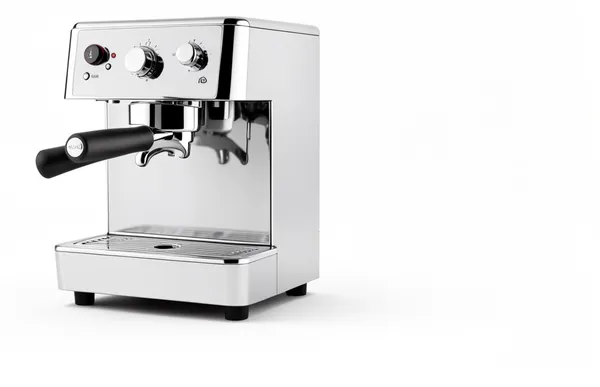
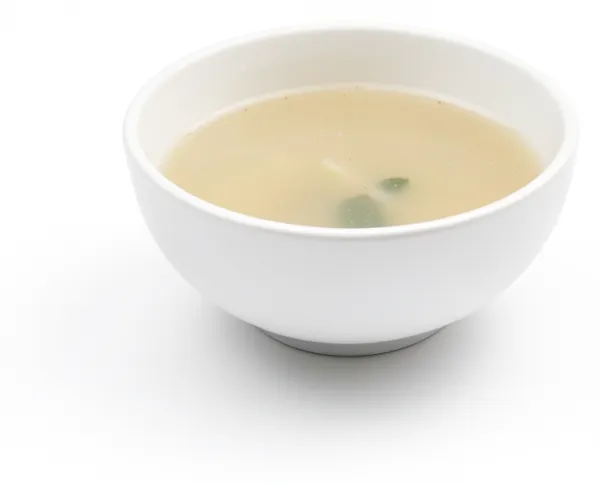
The guests wait, they taste the soup, it is bland and they stay hungry.
- ✓who is affectedThe guests
- ✓what happens right beforethey taste the soup
- ✓what it costs themthey stay hungry
The recipe card is just a simple example, using everyday cooking ideas everyone understands, to make the concept clear.
What it really means
A pain statement is not a feature request. It is a clear description of what is going wrong for one user before solution ideas enter the room. Until you can name who is affected, what triggers the pain and what it costs, the brief is too soft. AI can generate options, but it cannot choose the right boundary without a clear pain.
Make the pain statement concrete
Compare the broad version with a version you can actually test.
- Too vague: Users struggle to keep up with writing.
- Concrete enough to test: Someone a month past a good idea opens the log they were keeping and finds the last entry is two months old. The insight is still true and no longer sharp, because what made it worth saying was the detail they have now forgotten.
The second version lets two people frame the same problem from it.
Check the pain statement
- Pass: You can say who is affected, what happens right before the pain appears and what it costs the user.
- Fail: The statement still sounds like a feature gap or a general frustration.
Do not move into solution, scope or prototype work until this passes.
What you'll walk away with
You put this into practice with the prompt above. You'll come out with a pain statement clear enough that every later decision flows from it. Scope, success criteria, what you build first and the prompts you write to AI all inherit that clarity.
You write the problem statement before the pain is felt, so you know what to recognise when users hit it. The file is called problem.md because that is what it is: the problem this product solves. The post calls it a pain statement because that is how the problem shows up in practice, in the user's words and in the moment they feel it.
Write it down
Your problem.md is a real file in your project. The AI forgets everything between sessions. It reads this file each time to pick up what you already decided, on this idea or another part of the build. Write it down once instead of explaining it again.
knowledge-base/framework/shape/problem.md is just a suggested name and place for this information. The name and the location are just how we organise this type of documentation, not something you have to follow. Call the file and put it wherever suits your project. What matters is that it is written down in a format that is easily understood by both people and the AI.
The .md ending is markdown, a plain text format often used for documents kept in a code repository like GitHub. It is just the common way people store this kind of writing alongside their code.
Writing it down is how you keep good context for your AI. See Keep the signal, not the noise for why this matters across a whole build.
Risk and mitigation
- Risk: Jumping to solution language before the pain is clear, which creates scope growth and weak user outcomes.
- Mitigation: Require one validated pain statement and one measurable user-impact signal before discussing implementation choices.
Key takeaway
Do not move forward until you can say who is affected, what happens right before the pain appears and what it costs the user.
How to document your pain statement
Write your pain statement up in full so your AI has the whole picture: the answer, why you believe it, what you are optimising for, where you might be wrong and the standing instruction it should follow. Keep it in a file with your project like this.
# Pain statement

## Answer
Affected user: [who is affected]
Trigger: [what happens right before the pain appears]
Visible cost: [what it costs the user]

## Evidence
Why you believe this. Conversations, examples, tickets, your own experience.

## Decision
What you are optimising for and what you are saying no to.

## Risk
Where you might be wrong and what would tell you.

## AI instruction
The standing note your AI reads on this project.
Here is one filled in so you can see what good looks like, grounded in the recipe card idea from earlier.
## Answer
Affected user: The dinner guests
Trigger: They taste the soup
Visible cost: It is bland and watery so they push it aside and stay hungry

## Evidence
Last time I served this soup the guests went quiet and left half their bowls, and someone reached for bread instead.

## Decision
Optimising for a soup with real body and flavour. Saying no to watering it down to stretch it further.

## Risk
The blandness might be underseasoning, not thinness. Taste it for salt first before changing anything else.

## AI instruction
The problem is a bland, watery soup that guests push aside. Keep every change aimed at body and flavour, not at making more of it.
Share a thought or a question
Join vibe2value for free to share your thoughts and feel welcome to ask a question in the comments. If you prefer, email me your question: matt@vibe2value.com